The Select Dataset phase is the first of four phases. In this phase you select the datasets you want to process. You can select multiple datasets which can be individually configured later in the process.

Select the datasets you want to process.
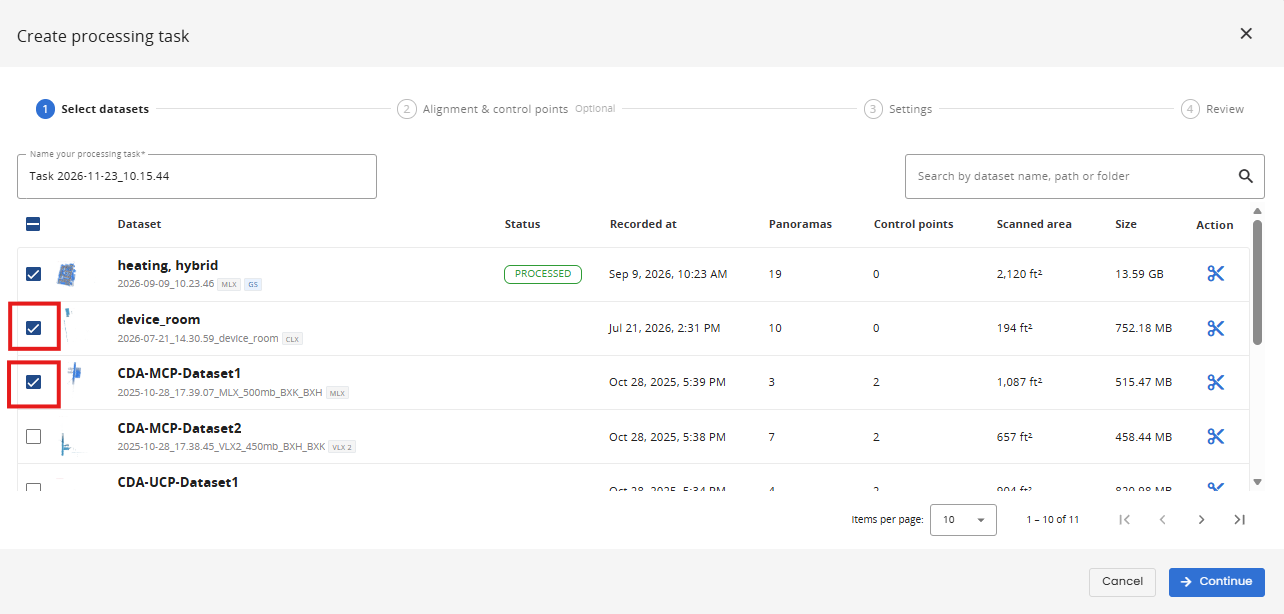
In addition to selecting your datasets you can also perform the following:
Rename your dataset.
Search the list of datasets.
View the quality map. For more information, see Quality Map.
Define the processing time frame for the dataset. For more information, see Define processing timeframe.
View information about your datasets:
Dataset name.
Processing status.
The date and time the dataset was recorded.
Number of panoramas captured.
Number of control points captured.
Scanned area.
Size of the file.
When you have finished selecting datasets for processing, click Continue.